
Introduction
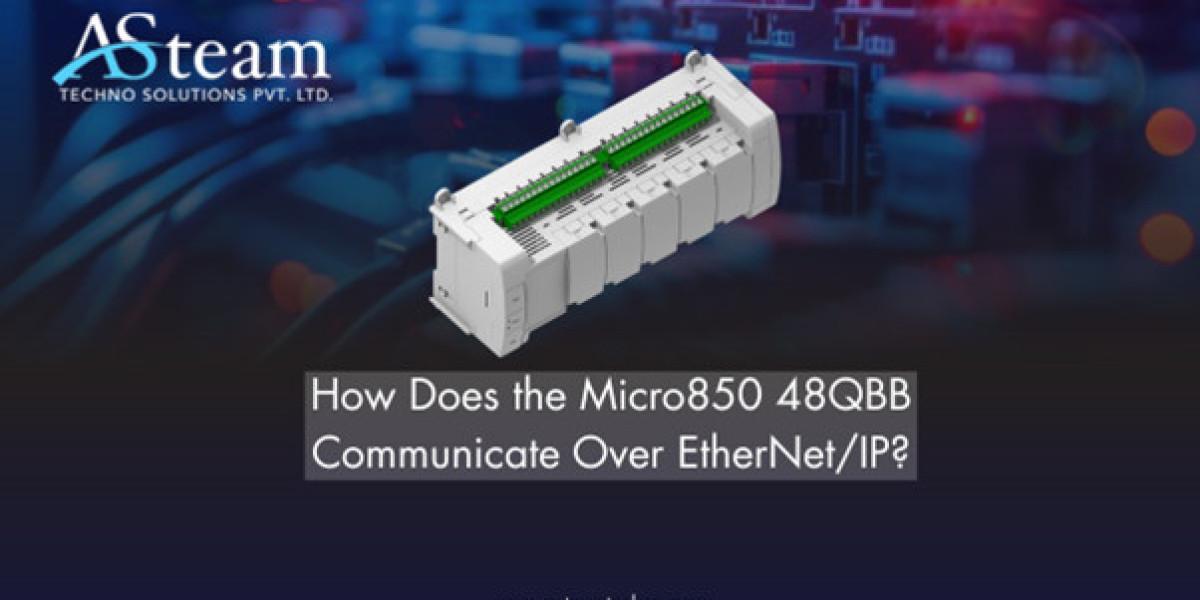
The Allen-Bradley Micro850 48QBB (2080-L50E-48QBB) PLC is one of the most versatile controllers in Rockwell Automation’s Micro800 series. It’s designed to simplify machine control and system integration for small to mid-sized automation projects. One of its standout features is its built-in EtherNet/IP connectivity, which allows seamless communication with other industrial devices. EtherNet/IP (Ethernet Industrial Protocol) is widely used in automation because it supports both real-time control and data exchange across a single network. In this blog, we’ll break down how the Micro850 48QBB communicates over EtherNet/IP and how to configure it effectively for smooth, reliable performance.
Understanding EtherNet/IP Communication
EtherNet/IP stands for Ethernet Industrial Protocol, a communication standard built on the Common Industrial Protocol (CIP). In simple terms, it allows devices like PLCs, drives, sensors, and HMIs to share information over a standard Ethernet network. It’s one of the most popular industrial communication systems because it combines high-speed Ethernet with proven industrial reliability.
EtherNet/IP operates using two main communication types:
Explicit Messaging (Class 3): Used for non-cyclic data, such as configuration, setup, and diagnostics.
Implicit Messaging (Class 1): Used for real-time control data or cyclic I/O updates.
The Micro850 48QBB supports both message types, making it a flexible and future-ready controller. Whether you’re configuring devices or running time-critical operations, its EtherNet/IP capability ensures consistent data flow and interoperability across multiple systems.
Built-in Communication Capabilities of Micro850 48QBB
The Micro850 48QBB comes with a built-in 10/100 Mbps Ethernet port, allowing direct network connectivity without the need for extra communication modules. This port enables quick integration with EtherNet/IP-based systems, making it easy to connect with HMIs, SCADA systems, or other PLCs.
Beyond EtherNet/IP, the controller also supports Modbus TCP (client/server) and TCP/UDP socket communication, allowing it to interact with a variety of devices—even those from different manufacturers. These protocols can run simultaneously, giving engineers the flexibility to build hybrid systems.
With firmware version 21 and above, the Micro850 supports Class 1 implicit messaging, which allows cyclic, real-time I/O data exchange—perfect for applications requiring fast control response. This built-in versatility makes the Micro850 48QBB ideal for small machine builders, OEMs, and integrators looking for cost-effective yet powerful networked control.
Configuration and Setup Using Connected Components Workbench
Setting up EtherNet/IP communication on the Micro850 48QBB is straightforward when using Connected Components Workbench (CCW)—Rockwell’s official programming and configuration software.
Here’s a step-by-step guide:
Initial Connection: Connect your Micro850 to your PC using a USB cable for the first-time setup.
Assign IP Address: In CCW, open the controller’s Ethernet settings and assign a static IP address (or enable DHCP if preferred).
Subnet Configuration: Ensure all devices (like HMIs or drives) are on the same subnet for proper communication.
Explicit Messaging Setup: Use CIP Generic messaging instructions within your program to read or write parameters to connected devices.
Implicit Messaging Setup: For real-time cyclic I/O data, configure produced/consumed tags or link to devices using their EDS files.
Firmware Update: Verify your controller is running the latest firmware (v21+) for full EtherNet/IP functionality.
Pro tip: After setup, use a simple “ping” command or CCW’s Network Discovery Tool to confirm your connection before starting communication. Proper configuration ensures stable, interference-free data exchange across your automation network.
Data Exchange Methods Explained
The Micro850 48QBB uses two main data exchange methods:
Explicit Messaging (Class 3): Ideal for tasks like sending configuration commands, reading device diagnostics, or retrieving parameter data. It’s on-demand communication, meaning it happens only when triggered.
Implicit Messaging (Class 1): Used for real-time cyclic I/O—continuous data exchange between the PLC and field devices like drives, sensors, or I/O modules.
Think of explicit messaging as “talking when needed,” while implicit messaging is like a constant live data stream. Together, they give engineers precise control over both system setup and real-time operations, making automation faster and more efficient.
Industrial Applications
The Micro850 48QBB’s EtherNet/IP communication makes it ideal for OEM machinery, packaging lines, process automation, and remote monitoring systems. It easily integrates with Allen-Bradley Logix-family PLCs, barcode scanners, smart sensors, and EtherNet/IP-compatible motor drives. Its open communication framework allows interoperability between multi-vendor devices, reducing setup time and improving system scalability. In short, this PLC bridges the gap between cost-effective control and advanced connectivity—perfect for modern smart manufacturing environments.
Conclusion
The Allen-Bradley Micro850 48QBB delivers powerful EtherNet/IP connectivity, enabling fast, reliable, and flexible communication across industrial networks. With proper configuration through Connected Components Workbench, users can achieve seamless data flow, reduced wiring, and efficient automation. Embrace the Micro850 for smarter, more connected industrial control.
FAQs
1. What is EtherNet/IP in a Micro850 PLC?
It’s a network protocol that allows the Micro850 to exchange control and information data with industrial devices in real time.
2. How do I connect my Micro850 48QBB to an EtherNet/IP network?
Use CCW software to assign an IP address, configure device settings, and ensure all components share the same subnet.
3. What’s the difference between explicit and implicit messaging?
Explicit messaging handles setup and diagnostics on demand, while implicit messaging provides continuous real-time I/O data exchange.
4. Can the Micro850 communicate with Modbus TCP devices?
Yes. It supports Modbus TCP alongside EtherNet/IP, allowing connection with multiple device types simultaneously.
5. Is EtherNet/IP communication reliable for industrial automation?
Absolutely — it offers fast data transfer, high interoperability, and proven stability in demanding industrial environments.
Reach Us
Asteam Techno Solutions Pvt. Ltd. is AVEVA (Formerly Wonderware) Registered System Integrator providing sale/service/support and executing the HMI/SCADA, Historian/MES Solutions to End-user & OEM/System Integrator community for their diverse needs.
Leading single-source supplier & solution provider for industrial automation hardware and software solutions needed.