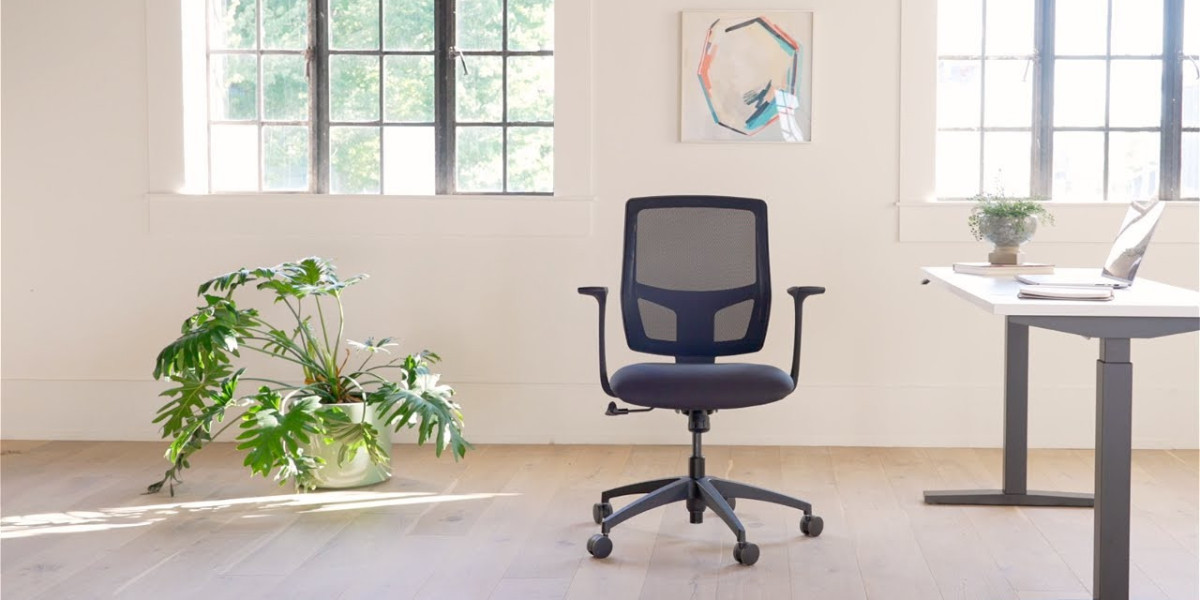

Choosing the right computer chair can significantly impact your comfort, productivity, and overall well-being while working. Many people underestimate the importance of an ergonomic chair, focusing more on the aesthetics of an office rather than the health benefits it provides. A well-designed computer chair not only supports your posture but also reduces the risk of long-term musculoskeletal issues. Investing in the right chair can transform your daily work routine, making long hours at a desk more comfortable and productive.
Understanding Ergonomics and Its Importance
Ergonomics is the science of designing furniture and tools that fit the human body’s natural movements. When it comes to a computer chair, ergonomics plays a crucial role in maintaining spinal alignment, reducing back pain, and preventing discomfort in the neck and shoulders. Chairs with adjustable seat height, lumbar support, armrests, and tilt functions allow users to personalize their sitting position. Ergonomic design ensures that your body remains in a neutral posture, which reduces strain on muscles and joints. By prioritizing ergonomics, you can enhance both your comfort and efficiency in the workplace.
Key Features to Look for in a Computer Chair
When selecting a computer chair, it is essential to consider features that will provide long-term comfort and support. Adjustable height is fundamental, allowing you to align your thighs parallel to the floor and your feet flat. Lumbar support is another critical aspect, as it maintains the natural curve of the lower spine and prevents slouching. Armrests should be adjustable to reduce strain on the shoulders and wrists, especially for those who spend extended hours typing. Additionally, a high-quality seat cushion with breathable material improves airflow, keeping you comfortable throughout the day.
Types of Computer Chairs for Every Workspace
Computer chairs come in various types, each designed to meet specific needs. Task chairs are ideal for general office use, offering basic ergonomic features and mobility. Executive chairs often include premium materials, enhanced cushioning, and extended support, making them suitable for high-ranking professionals who spend hours at their desks. Gaming chairs, though primarily designed for gamers, also provide exceptional ergonomic support with contoured seating, adjustable armrests, and reclining functions. Understanding your specific requirements helps you choose a chair that combines style, functionality, and comfort.
How a Good Computer Chair Boosts Productivity
A comfortable computer chair directly influences your productivity and focus. When you are seated correctly, you are less likely to experience fatigue, discomfort, or distractions caused by pain. Proper lumbar support and posture alignment reduce the need for frequent breaks, allowing for longer periods of uninterrupted work. Additionally, a supportive chair encourages active sitting, which keeps your blood flowing and reduces stiffness. Employees who invest in ergonomic seating often report improved concentration, efficiency, and overall job satisfaction.
Common Mistakes to Avoid When Choosing a Chair
Many people make the mistake of prioritizing appearance over functionality when buying a computer chair. While style is important, it should never compromise comfort and support. Another common error is neglecting to check adjustability features. A chair that cannot adapt to your body size or desk height may cause strain over time. Additionally, overlooking material quality can lead to discomfort, reduced durability, and faster wear and tear. Ensuring you consider ergonomics, adjustability, and materials will result in a smarter purchase.
Tips for Maintaining Your Computer Chair
Maintaining your computer chair is just as important as selecting the right one. Regularly cleaning the upholstery prevents dirt buildup, while checking screws and casters ensures stability and safety. If your chair has adjustable features, lubricate moving parts to maintain smooth operation. Proper care extends the lifespan of the chair and ensures it continues to provide optimal support. By taking a few minutes each month to maintain your chair, you safeguard both your investment and your comfort.
Creating an Ergonomic Workspace Around Your Chair
A computer chair is only one part of an ergonomic workspace. Position your monitor at eye level to reduce neck strain, keep your keyboard and mouse within easy reach, and ensure your desk height complements your chair’s adjustments. Footrests can help maintain proper leg positioning, and adequate lighting reduces eye strain. By combining an ergonomic chair with a well-planned workspace, you create an environment that promotes health, efficiency, and productivity.
Investing in Quality for Long-Term Benefits
While budget chairs may seem appealing, investing in a high-quality computer chair pays off in the long run. Durable materials, advanced ergonomic features, and reliable build quality contribute to better support, comfort, and longevity. Consider it an investment in your health and well-being, as well as a tool to improve performance at work. Quality chairs also often come with warranties, providing peace of mind and protection for your purchase.
Final Thoughts on Choosing the Right Computer Chair
Choosing the right computer chair requires careful consideration of ergonomics, features, and your specific needs. From adjustable height and lumbar support to quality materials and maintenance, every aspect contributes to a healthier and more productive work experience. A good computer chair does more than provide comfort; it supports your body, reduces strain, and enhances focus throughout the day. When investing in office furniture, prioritizing ergonomic chairs ensures that you get both style and functionality in your workspace. Ultimately, a thoughtfully chosen computer office furniture can transform the way you work and feel during long hours at your desk.