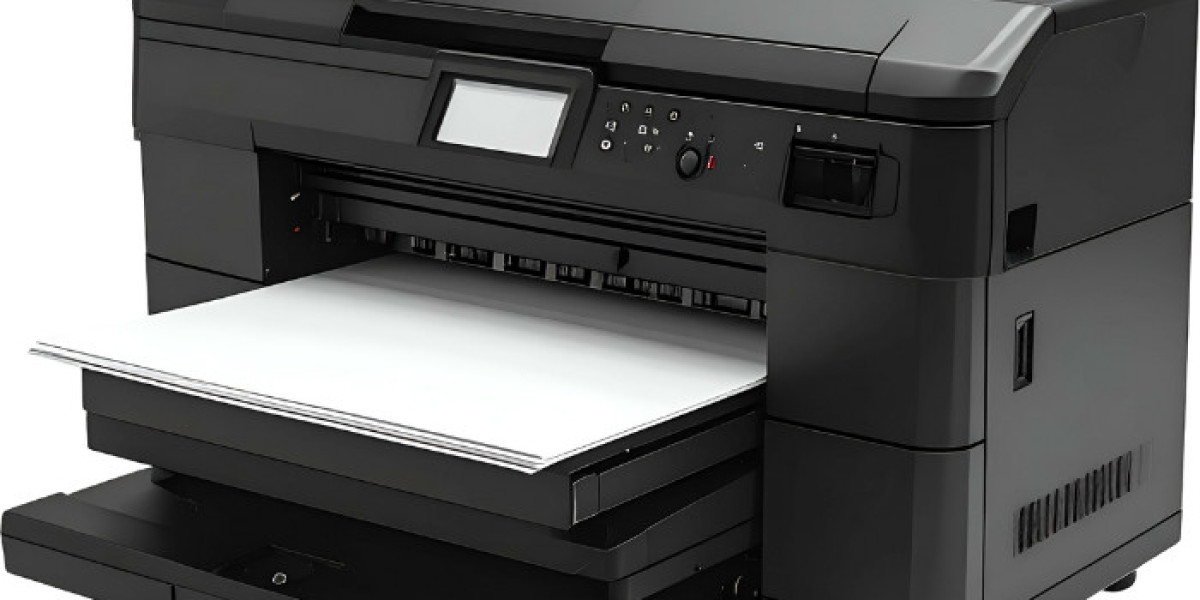

Choosing the right label printer for a small business is an important decision that directly impacts productivity, organization, and branding. Whether you run a retail store, warehouse, logistics operation, manufacturing unit, or e-commerce business, efficient labeling helps streamline daily operations and reduces costly errors.
With a wide range of label printing machines available in the market varying in technology, speed, durability, and cost it can be challenging to identify the model that truly fits your business needs. To make the decision easier, this guide breaks down the most important features you should consider before investing in a barcode and label printer.
1. Printing Technology: Thermal vs Laminated
The first feature to evaluate when selecting a label printer for a small business is the printing technology.
Direct thermal printers are widely used for shipping labels, barcode labels, receipts, and short-term applications. These printers do not require ink or toner, which keeps running costs low. However, thermal labels may fade when exposed to heat, sunlight, or friction.
Laminated label printers, on the other hand, produce highly durable labels that are resistant to water, heat, chemicals, and fading. These are ideal for asset tracking, shelves, file management, and equipment identification where labels need to last for years.
Understanding how long your labels must remain readable will help you choose the right type of label printing machine.
2. Print Speed and Efficiency
Print speed plays a crucial role in day-to-day operations. A slow printer can create bottlenecks, especially during peak business hours or high-volume tasks.
When evaluating a barcode and label printer, check specifications such as labels per minute or inches per second. Faster printing speeds help businesses manage bulk labeling without delays, improving overall workflow efficiency.
3. Print Volume Capacity
Every label printer is designed for a specific workload. If your business prints labels occasionally, a compact desktop printer may suffice. However, businesses that rely heavily on labeling should consider machines built for higher duty cycles.
A high-capacity label printer for a small business should support continuous printing, larger label rolls, and features like automatic cutting. This minimizes interruptions and increases operational efficiency.
4. Print Quality and Resolution
Print quality directly affects barcode scannability and brand presentation. Blurry or low-resolution labels can cause scanning errors and reduce professionalism.
When comparing label printing machines, look for higher DPI (dots per inch) ratings if you need crisp barcodes, fine text, or detailed logos. Good print quality ensures labels remain clear, readable, and compliant with industry standards.
5. Cost of Ownership
While upfront price matters, long-term costs are often more important. Consumables such as label rolls, tapes, replacement parts, and print heads can significantly affect overall expenses.
A competitively priced label printer with affordable consumables can be more cost-effective than a cheaper machine with expensive supplies. Businesses sourcing equipment from trusted suppliers like Pacific International often benefit from reliable machines and better long-term value.
6. Connectivity Options
Modern businesses require flexible connectivity. Most label printers connect via USB, but many advanced models also offer Wi-Fi or Bluetooth.
If your team prints labels from multiple devices or locations, choosing a barcode and label printer with wireless connectivity can significantly improve convenience and collaboration.
7. Ease of Use and User Interface
Ease of operation is a key factor that should never be overlooked. A complicated printer can slow down staff and increase training time.
User-friendly label printing machines typically include:
- Clear display screens
- Intuitive controls
- Easy label loading
- Simple software integration
An easy-to-use label printer for a small business ensures consistent results even with minimal training.
8. Portability and Design
If your labeling needs extend beyond a fixed workstation, portability becomes essential. Lightweight printers with rechargeable batteries allow labeling across shelves, warehouses, and multiple locations without downtime.
This feature is especially useful for logistics, inventory management, and field operations.
9. Label Durability and Environmental Resistance
Consider where your labels will be used. Labels exposed to moisture, temperature changes, or rough handling require water-resistant and durable materials.
Choosing a printer compatible with weather-resistant labels ensures long-lasting performance and reduces re-labeling costs.
10. Versatility and Compatibility
A versatile label printer supports different label sizes, materials, and formats. This allows businesses to handle shipping labels, barcode tags, product labels, and asset labels using a single machine.
Versatility is a major advantage for growing businesses that expect their labeling needs to evolve over time.
Conclusion
Investing in the right label printer for a small business can improve accuracy, efficiency, and brand consistency. By focusing on key features such as print speed, volume capacity, connectivity, durability, and long-term costs, businesses can make a well-informed decision.
With reliable solutions and professional support from brands like Pacific International, small businesses can confidently choose label printing machines that support growth, streamline operations, and deliver lasting value.